Anything with a date becomes actionable.
Snap it. Say it. Plan it.
Take a photo, upload a screenshot or PDF, or just say what’s on your mind. Zest Snap finds the dates, lets you review them, and turns them into your plan, calendar events and reminders in seconds.
Good morning 👋
Photo, screenshot or PDF
Capture or uploadSee it in action.
Real screens from the Zest Snap app.
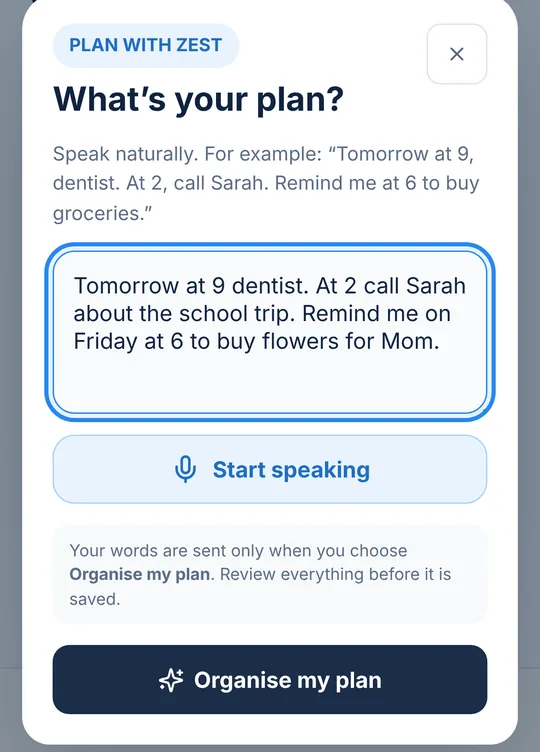
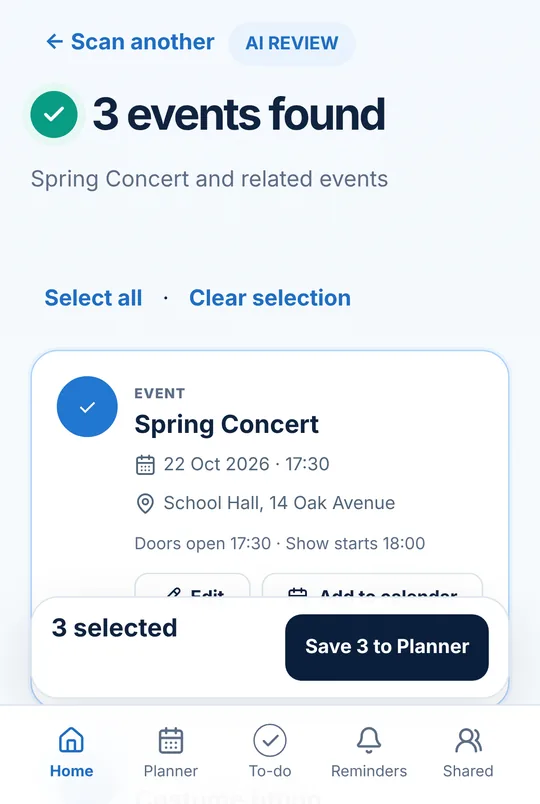
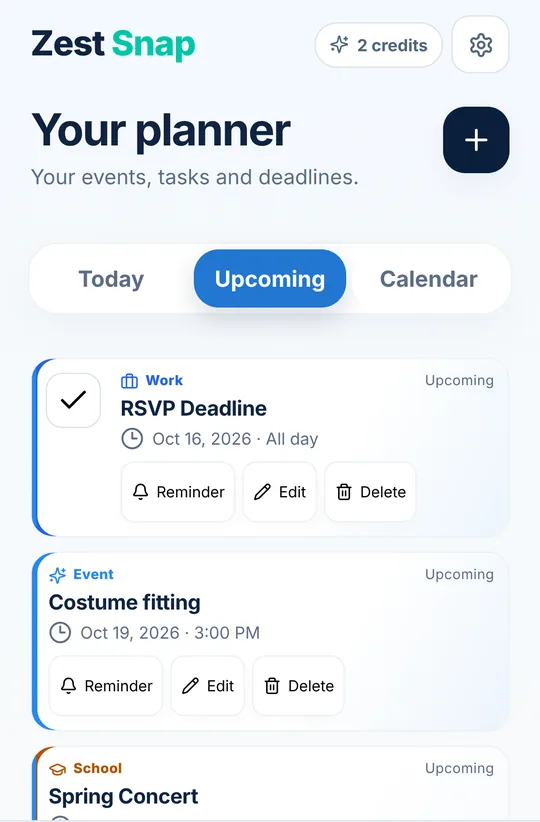
From document to calendar in seconds.
No more typing dates from screenshots, notices and PDFs.
Capture anything
Take a photo or upload a screenshot, PDF, notice, booking, invoice or schedule.
AI understands the dates
Zest Snap extracts events, deadlines, times, locations and multiple dates from one document.
Review, then add
Confirm what was detected, then add it to Google or Apple Calendar and get smart reminders.
Everything you need to stay on top of your days.
Zest Snap keeps helping after the scan.
Plan with Zest, by voice or text
Say or type “dentist Tuesday at 3, then pick up the kids” and Zest turns it into Planner items and reminders for you to review.
Planner and to-dos
Today, upcoming and your calendar in one calm view, with to-dos, follow-ups, meal plans and timetables.
Reminders that arrive on time
Smart reminders before events and deadlines, even when the app is closed. Snooze or mark done from the notification.
Google and Apple Calendar
Add events straight to Google Calendar, or sync your Planner with Apple Calendar on iPhone.
Shared plans
Plan with family, friends or your team: shared items, assigned tasks and a group chat with photos, files and voice notes.
Daily Briefing
One short morning notification with today’s events, to-dos and shared plans, at the time you choose.
Scan history
Find any past scan again. You choose how long it’s kept, from 30 days to until you delete it.
Zest Rewards
Earn bonus scans for milestones and for inviting friends who join.
You stay in control
Uncertain dates are flagged for review, nothing is added without you, and you can export or delete your data any time.
Start free. Upgrade when Zest becomes essential.
Prices in US dollars. In the iPhone and Android apps you pay in your local currency through the App Store or Google Play.
Free
Free forever. No card needed.
3 free AI scans to start and PDFs up to 3 pages. Event review, calendar export and your upcoming agenda.
Start freeZest Snap Pro
or $39.99 / yearSave 44%
100 AI scans each month and PDFs up to 20 pages. Richer AI understanding for everything with a date.
3-day free trial on the yearly plan in the iPhone and Android apps. Cancel any time.
Go ProSubscriptions renew automatically until cancelled. Cancellation & refunds · Terms of Use
Questions, answered
What does Zest Snap do?
Take a photo of anything with dates on it (a school notice, an invitation, a timetable, a PDF) or just say what’s coming up. Zest finds the dates, times and places, you check them, and they go into your Planner with reminders.
Is it free?
Yes. Try 3 free AI scans without an account, then get 3 more when you create a free account — up to 6 in all. They’re one-time and don’t renew. The Free plan includes PDFs up to 3 pages, the Planner, reminders, Plan with Zest, shared plans and calendar sync. Pro gives you 100 AI scans a month, PDFs up to 20 pages, sub to-dos, shared group member lists, your full scan history and a readable PDF export of your data for US$5.99 a month or US$39.99 a year.
Is there a free trial?
New subscribers to the yearly plan in the iPhone and Android apps get 3 days free, with up to 10 AI scans during the trial. Cancel before it ends and you’re never charged.
How do I cancel?
In Zest Snap go to Settings › Monthly scans › Manage subscription, or cancel in your App Store or Google Play account. You keep Pro until the end of the period you paid for, then move to Free. Your plans and reminders stay.
Can I get a refund?
Pro is bought in the iPhone or Android app, so refunds are handled by Apple or Google under their policies. See Cancellation & refunds for how to ask.
Does it work with my calendar?
Yes. Add events to Google Calendar, or sync your Planner with Apple Calendar on iPhone.
Can I plan with my family or team?
Yes. Create a shared plan, invite people with a link, add events and to-dos, assign tasks and chat in the plan with photos and voice notes.
What happens to my photos and data?
Your scans are sent to our AI provider only to read the dates. We don’t sell your information, don’t use your scans or plans to train AI, and you can delete your account and data at any time in Settings.
Which devices can I use?
iPhone, Android and any web browser. Sign in with the same account and your Planner stays in sync everywhere.
How do I get help?
Visit the Help centre or email support@zestsnap.app.
More in the Help centre · Cancellation & refunds · Privacy